Tools:
Removing parts:
Procedure:
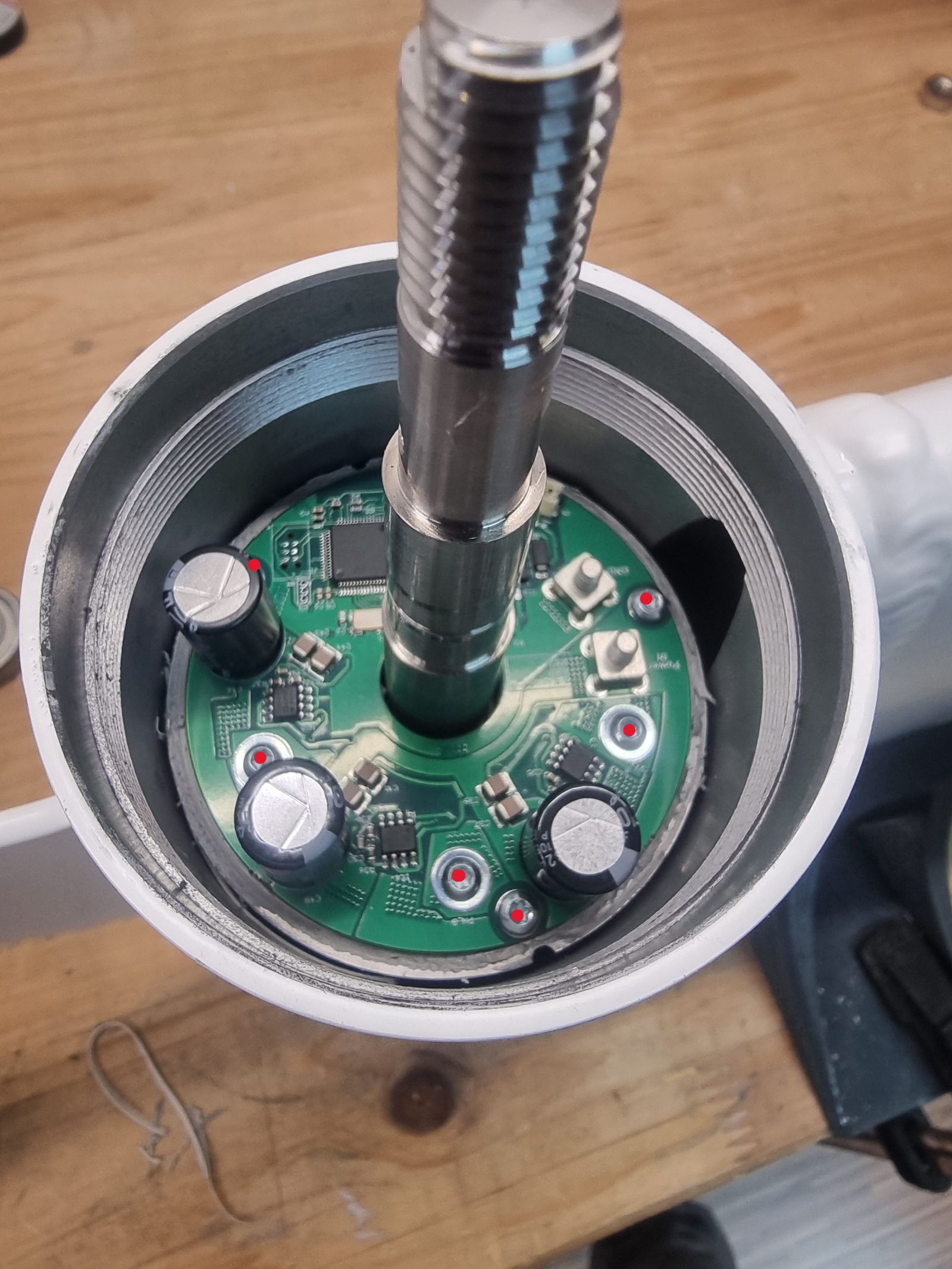
- Unscrew the marked screws.
- Remove the motor controller.
CAUTION
The motor controller must only be handled in an ESD-protected environment. Use proper ESD protection before disconnecting or removing the controller.
Tools:
Removing parts:
Procedure:
CAUTION
The motor controller must only be handled in an ESD-protected environment. Use proper ESD protection before disconnecting or removing the controller.