Remigo

Home

❯

02_Service steps

❯

Drivetrain Service

❯

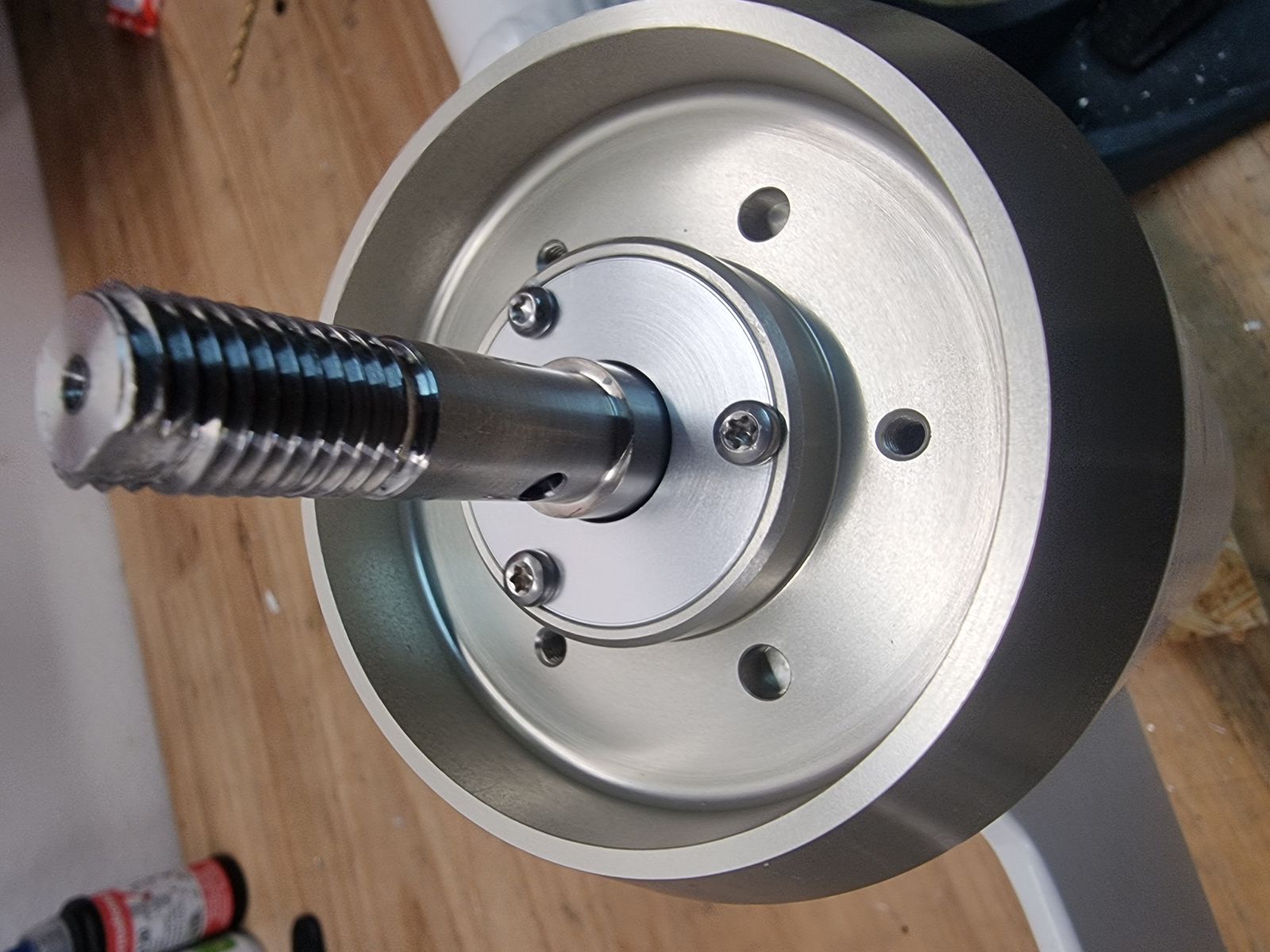
DT-DIS-006 DISASSEMBLY STEP 6 - Remove seal cover

DT-DIS-006 DISASSEMBLY STEP 6 - Remove seal cover

Tools:

  • T10 Torx driver

Removing parts:

  • Seal cover (045010001)
  • Screw M3x6 A4 (011010006)

Procedure:

  1. Unscrew the three M3 screws using a T10 Torx driver.
  2. Remove the seal cover.

Graph View

Backlinks

  • RemigoOne Go&DE2 Drivetrain Service Manual
  • Check and replace motor power cable
  • Check and replace motor signal cable
  • Replace motor bearings
  • Replace motor controller
  • Replace motor incl. stator
  • Replace propeller shaft and rotor