Tools:
Consumables:
Installing parts:
Procedure:
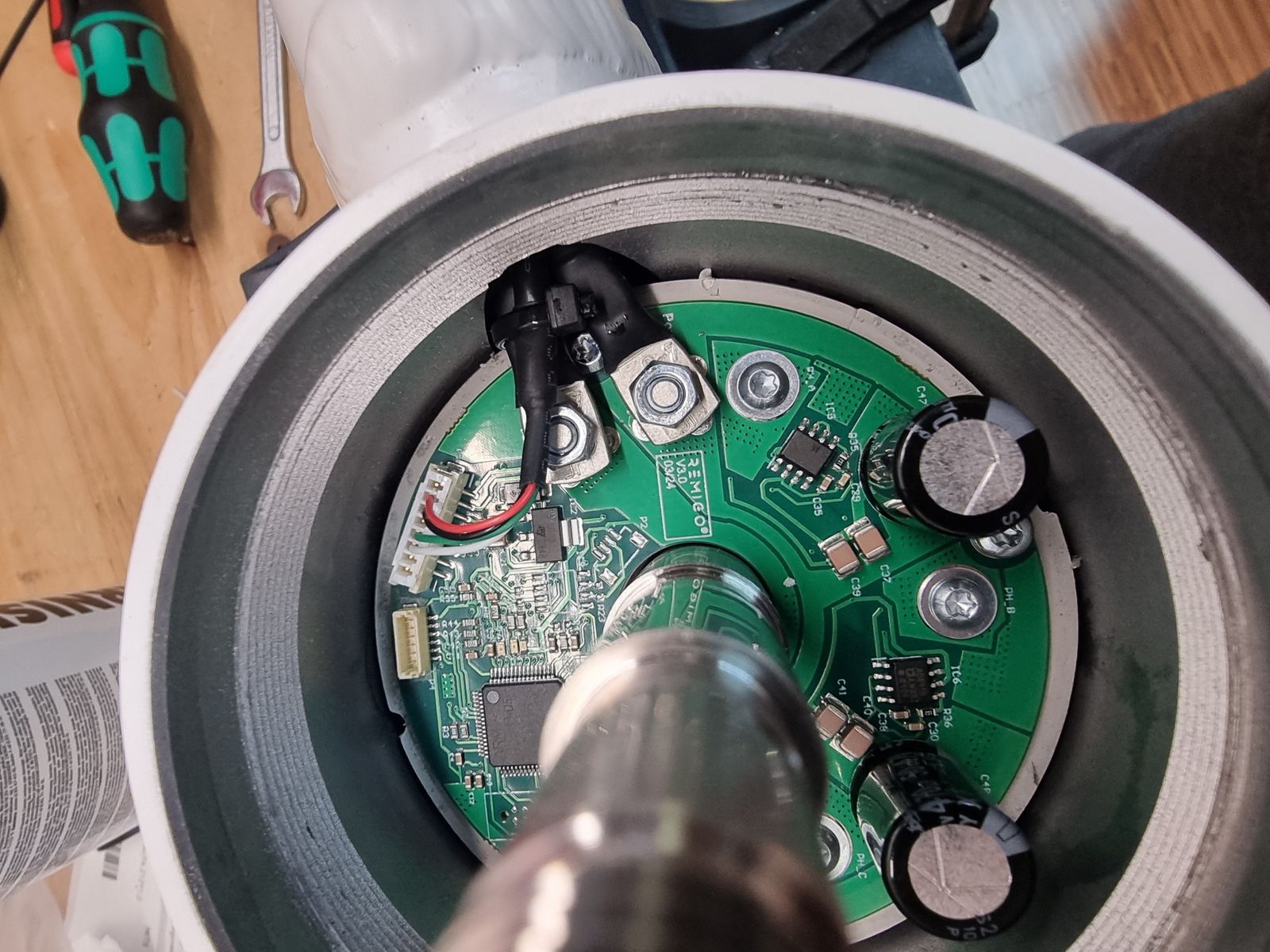
- Bolt down the power cables onto the red cube phase terminals on the motor controller PCB.
- Bend each power cable into a loop away from the housing wall (see picture) so it does not touch the motor housing.
- Make sure the power cables do not touch the motor housing.
- Apply a small amount of Permabond A130 to the nut threads to secure them against vibration.
- Plug in the signal cable.
- Fix the signal cable to the GND cable using a zip tie.
Torque specification:
- Red cube (phase terminal), M4 nut: 1,2 Nm
CAUTION
Make sure cables are routed away from sharp edges and moving parts.